Get started
Run Vimputer from source, build a Vim-style navigation layer for Chrome, and see it in the HUD.
Requirements
- macOS with Karabiner-Elements 16 or later.
- Node.js 22 and pnpm. There is no packaged app yet, so Vimputer runs from source.
Run the app
Clone methodacting/vimputer, then:
pnpm install
pnpm dev
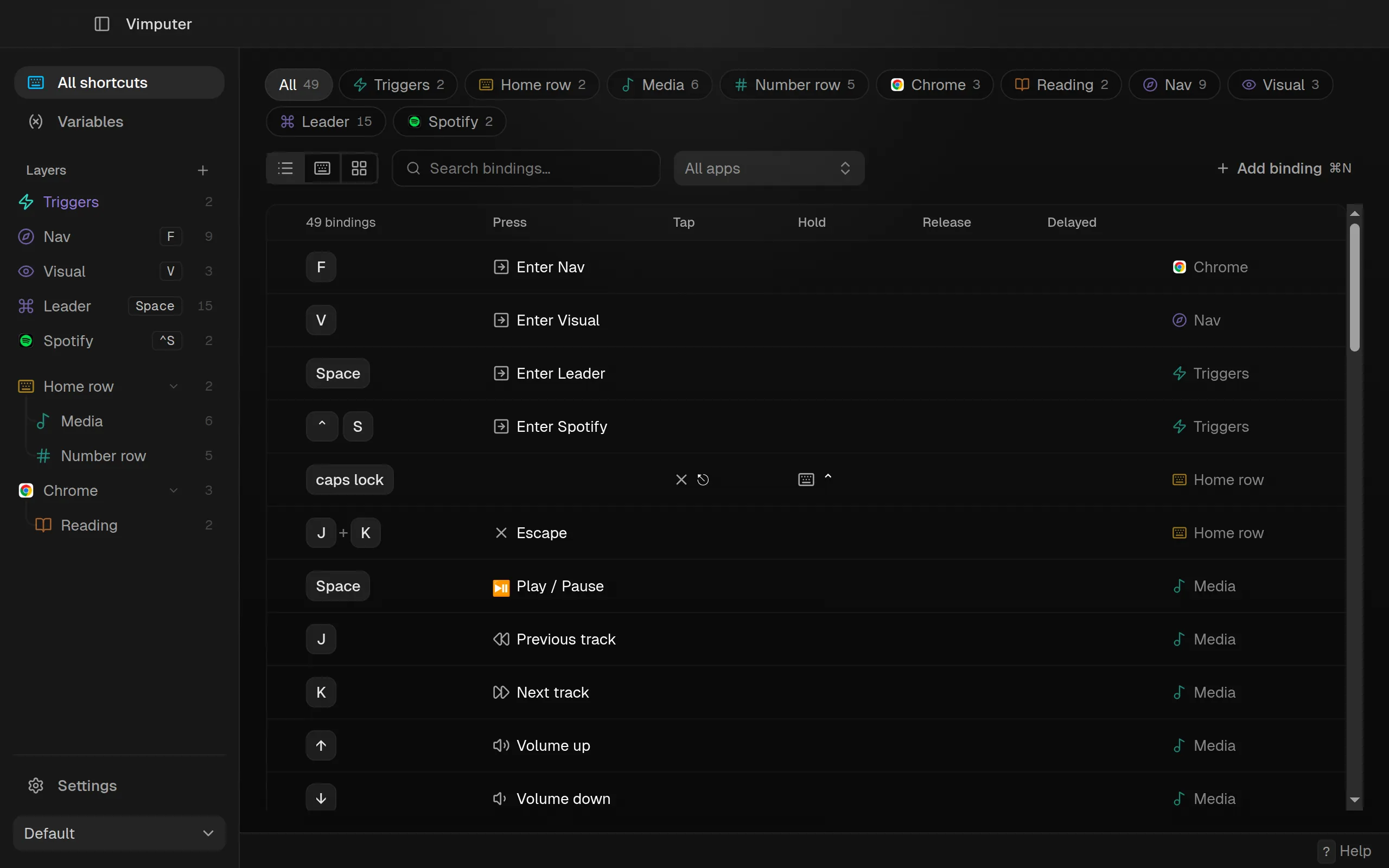
Vimputer opens on All shortcuts: every binding in every layer, filterable by layer and app.
Vim keys in Chrome
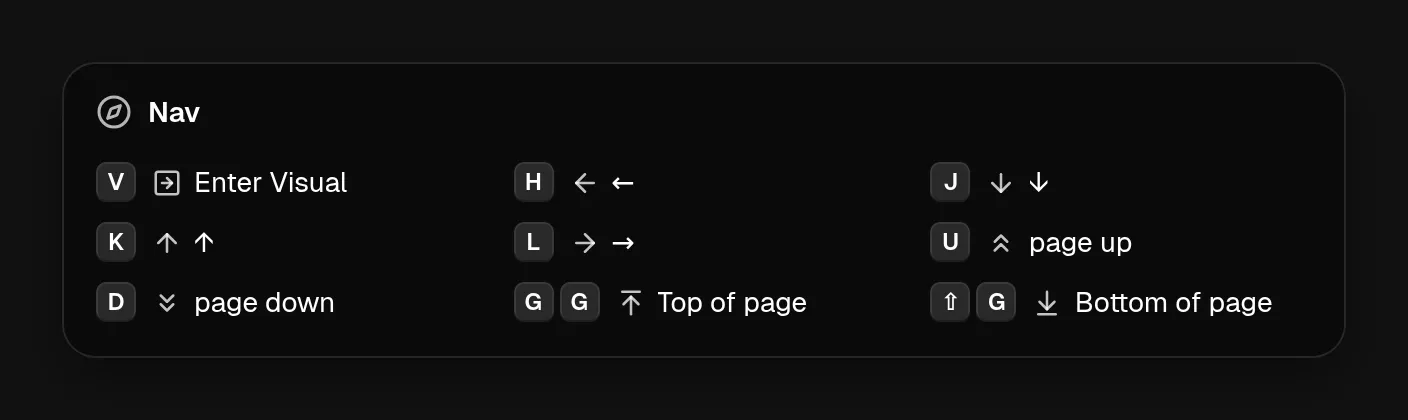
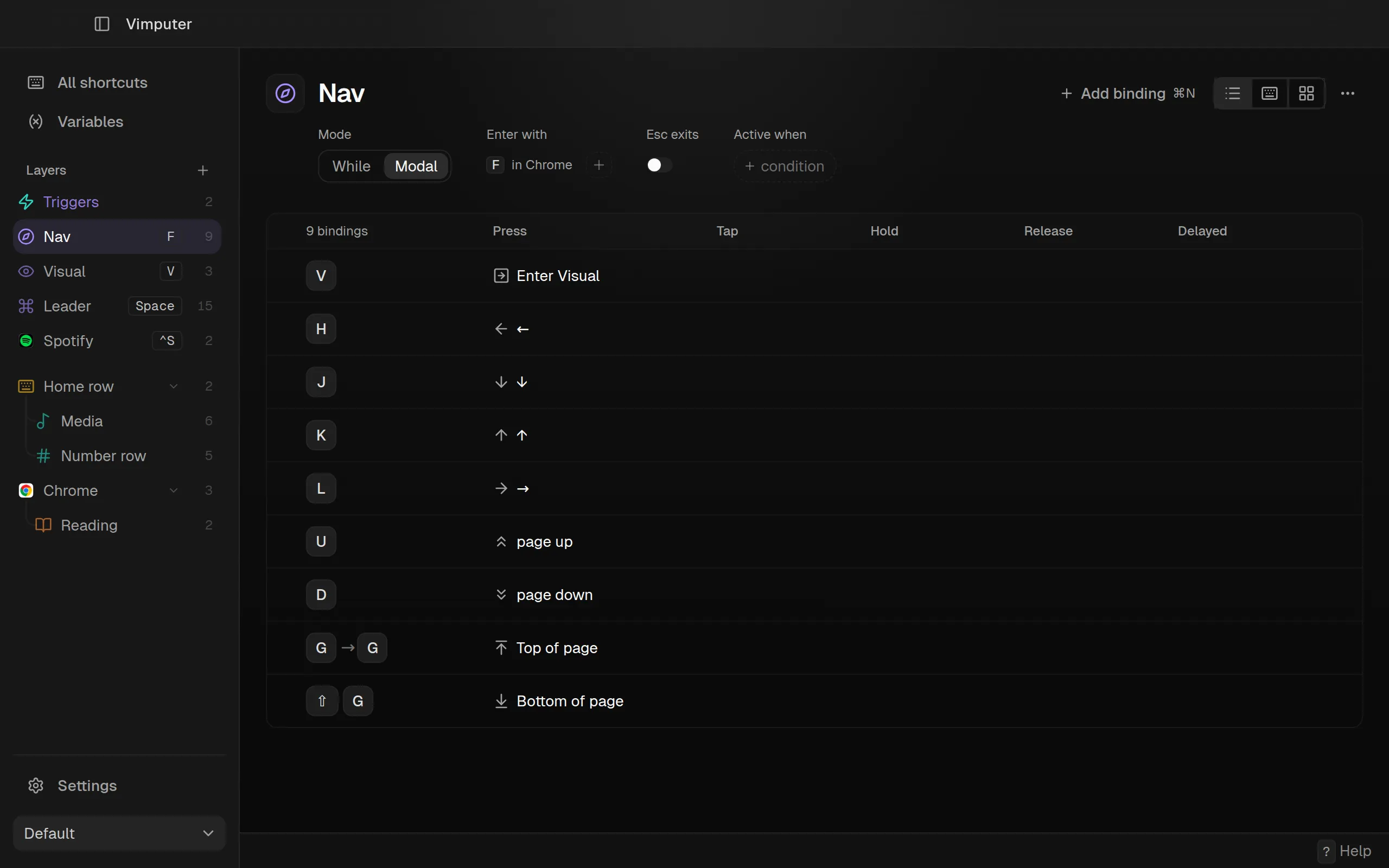
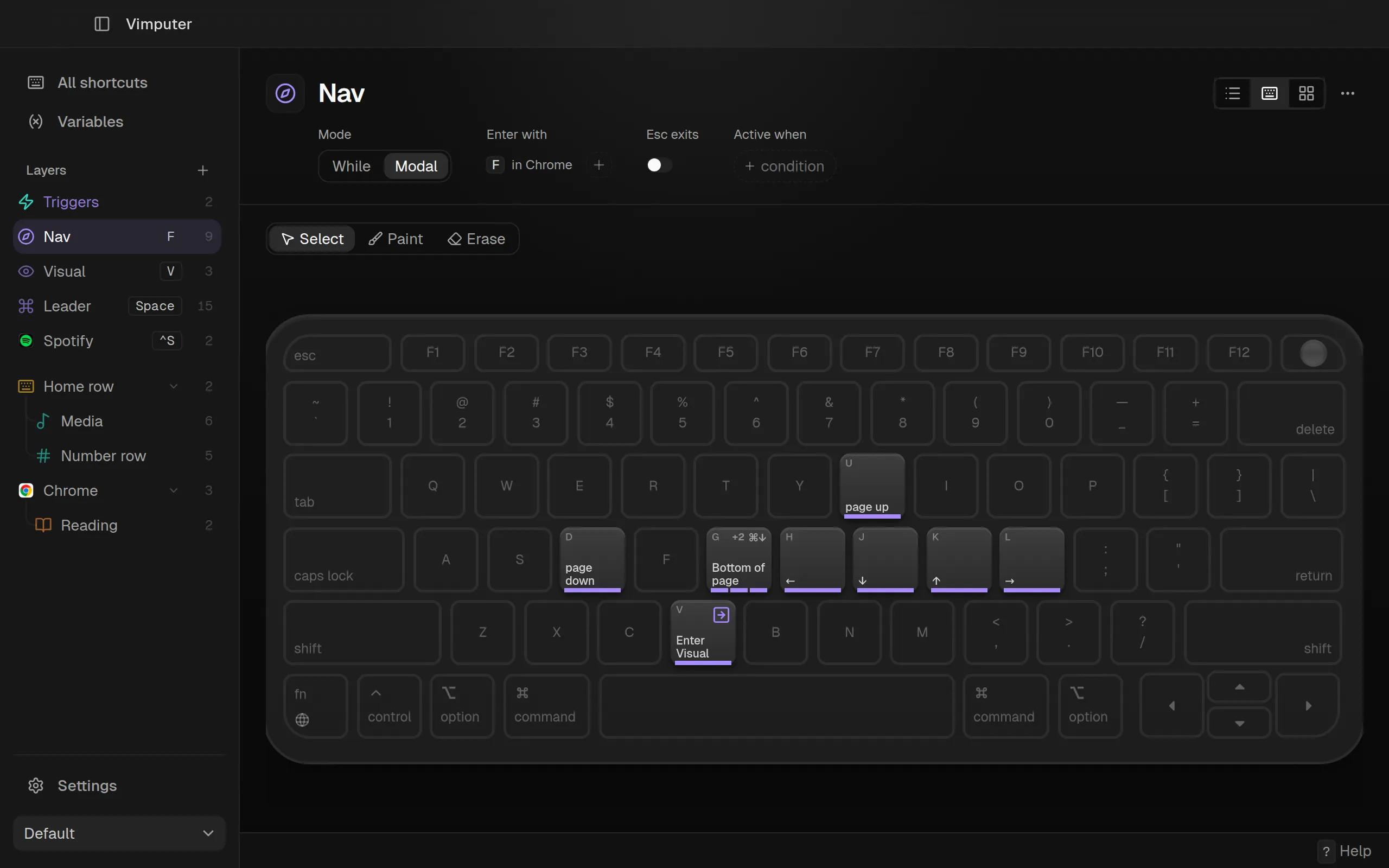
This builds the Nav layer from the screenshots. In Chrome, f enters Nav, where the home row scrolls the page.
Add a Chrome layer
In the sidebar, choose + → App → Chrome. Bindings in this layer only fire while Chrome is frontmost.
Add the Nav mode
Choose + → Mode and name it Nav. A mode is entered and left with keys; Esc exits is on, so esc leaves it.
Enter Nav from Chrome
In the Chrome layer, add a binding on f whose action is Activate layer → Nav. Nav’s Enter with now reads “F in Chrome”.
Bind the keys
In Nav, map h j k l to the arrow keys and u d to page up and down. For top of page, record g, choose + then, and record g again; bind it to ⌘↑. ⇧g sends ⌘↓.
The layer page lists each binding with a column per moment. All of these act on press.
Keyboard shows the same bindings on their keys. Click a key to edit it.
Generate and try it
In Settings → Karabiner, Generate and activate writes
~/.config/karabiner/karabiner.json and switches Karabiner to the Vimputer profile.
Test file writes a copy elsewhere and changes nothing.
Switch to Chrome and press f. The HUD lists Nav’s keys: