HUD
The panel that lists a layer's keys while you're in it.
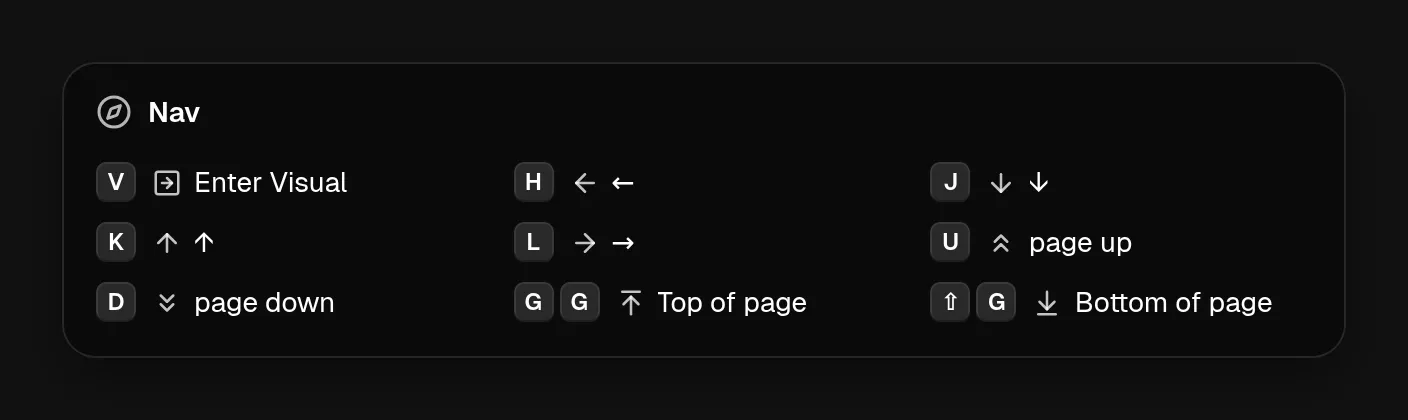
When you enter a modal layer, the HUD appears at the top of the main display and lists what each key in the layer does. It hides two seconds after your last keypress in the layer, or when you leave it.
The Nav layer, entered with f. The HUD lists the keys it binds.
Each entry uses the binding’s own label and icon if it has them, so the HUD reads the way you named things. The Hints view on a layer page shows the same grid.
Showing it yourself
Groups and app layers have no key that enters them, so the HUD doesn’t appear on its own. Bind Toggle layer HUD (under Vimputer in the action picker) to show a layer’s keys on demand. A HUD opened this way stays up until you press the key again.
Show HUD banner and Dismiss HUD banner put a short message in the HUD, for example to confirm that a mode changed.